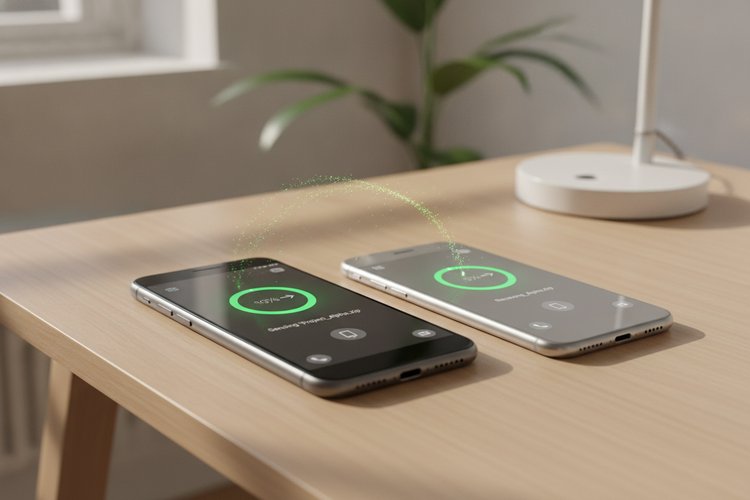
Sharing files through cloud storage services like Dropbox and OneDrive is an everyday task for team members, bloggers, content creators, and remote workers. However, standard share links usually redirect users to a web preview page filled with branding, sidebars, and extra buttons before they can actually download the file. This extra friction can slow down workflow automation, break direct file hotlinking, or confuse clients who simply want to save the document directly.
Our free online Dropbox & OneDrive Direct Download Link Generator transforms standard view-only share links into clean, instant direct download URLs with one click. Whether you need to host PDF documents, embed audio or video files on your website, or streamline file delivery for your customers, this browser-based utility generates instant direct links with zero server tracking or login required.
⚡ Instant Cloud Direct Link Generator
Why Convert Shared Cloud Links to Direct Download Links?
When you generate a standard share link in cloud platforms like Dropbox or Microsoft OneDrive, the system creates a preview landing page. While preview landing pages are great for inspecting a photo or document in your web browser, they create major hurdles for power users, web developers, and automated software workflows.
Here are the primary advantages of converting standard cloud share links into instant direct download links:
- Bypass Preview Page Friction: Users do not need to wait for heavy web app interfaces to load, nor do they need to look for a “Download” button in the top corner. Clicking the link triggers the file download immediately.
- Direct Asset Embedding for Websites: If you want to link directly to an audio file, PDF ebook, or image asset on your WordPress site without consuming local server bandwidth, a direct download link allows browsers to stream or fetch the file seamlessly.
- Compatibility with Automation Tools: Scripting tools, cURL commands, Python scripts, and automated installer utilities require a raw binary link rather than an HTML web page. Direct download URLs deliver raw file content instantly.
- Professional Client Delivery: Providing direct links in email blasts, digital product fulfillment messages, or client portals offers a cleaner user experience without exposing your folder structure or account details.
If you also work with other cloud platforms, explore our guides on creating a Google Drive direct download link, configuring a SharePoint download link generator, or generating a Google Docs direct download link to unify your entire cloud publishing stack.
Direct downloading transforms a slow multi-step preview into a zero-click file save.
How to Create a Dropbox Direct Download Link Manually
Understanding how URL parameter manipulation works allows you to modify Dropbox links manually without relying on external utilities whenever you are writing code or managing links in bulk.
Dropbox uses a simple query parameter structure at the end of its shared addresses. When you copy a shared link from the Dropbox web interface or desktop app, it typically looks like this:
https://www.dropbox.com/s/xyz123sample/document.pdf?dl=0
Method 1: Change the Query Parameter
The simplest manual trick is modifying the dl=0 parameter at the end of the web address:
- Copy your shared Dropbox URL.
- Locate
?dl=0at the end of the URL string. - Replace
dl=0withdl=1. - New Direct Link:
https://www.dropbox.com/s/xyz123sample/document.pdf?dl=1
When a user clicks a link ending in dl=1, Dropbox instructs the user’s browser to download the file directly instead of rendering the web preview environment.
Method 2: Change the Subdomain (Best for Hotlinking & Media Streaming)
If you plan to embed an image or audio asset directly into HTML code (such as an <img> or <audio> tag), changing dl=0 to dl=1 can sometimes trigger a download prompt instead of rendering media inline. To force raw file streaming, swap the domain host:
- Replace
www.dropbox.comwithdl.dropboxusercontent.com. - Remove
?dl=0or set?dl=1. - Direct Content Link:
https://dl.dropboxusercontent.com/s/xyz123sample/document.pdf
For official rules and bandwidth usage policies regarding shared links, review the Dropbox Official Help Center guidelines.
How to Generate a OneDrive Direct Link Manually
Microsoft OneDrive uses a slightly different URL structure compared to Dropbox. Depending on whether you are using OneDrive Personal or OneDrive for Business / SharePoint, Microsoft routes links through an embed iframe or redirection handler.
Method 1: The Embed Code Parameter Swap
For standard OneDrive Personal accounts, the most reliable manual technique uses the Embed function built into the OneDrive web interface:
- Log in to OneDrive on your web browser and locate your file.
- Right-click the file and select Embed from the menu options.
- Click Generate to create an HTML embed code snippet.
- Copy the iframe source URL inside the code snippet. It will look like this:
https://onedrive.live.com/embed?cid=123456789&resid=12345%21100&authkey=AbCdEf123 - Replace the word
embedin the URL withdownload. - Final Direct Download Link:
https://onedrive.live.com/download?cid=123456789&resid=12345%21100&authkey=AbCdEf123
Converting the embed URL into a download endpoint forces OneDrive to serve the raw binary payload immediately.
Method 2: Handling Shortened 1drv.ms Links
When sharing from mobile devices or context menus, OneDrive often generates shortened URLs starting with https://1drv.ms/u/s!.... Because these short links redirect through multiple server hops, client-side JavaScript tools cannot transform them automatically without expanding the full address first.
To convert a 1drv.ms link:
- Paste the
1drv.msshort link into your browser address bar and press Enter. - Wait for the browser to finish loading the complete destination URL.
- Copy the expanded long URL from your address bar.
- Paste the expanded long URL into our generator tool above to produce your direct link.
For enterprise deployment guidelines, consult the Microsoft OneDrive Support Portal.
Best Practices & Troubleshooting Cloud File Links
While direct download links are powerful tools for web managers, keep these technical considerations in mind to ensure optimal delivery and avoid broken asset links:
- Public Access Permissions: Direct link transformations do not override file security. Ensure your file’s sharing settings in Dropbox or OneDrive are set to “Anyone with the link can view” or “Public”. If access is restricted to private account holders, the direct download link will return an authentication error.
- Bandwidth & Traffic Limits: Free cloud storage tiers impose daily bandwidth limits. Exceeding public bandwidth allocations may temporarily suspend link sharing on your account. For high-traffic media hosting, consider specialized CDN hosting or cloud storage services like Amazon S3.
- File Name & Query Strings: When using direct links inside command-line downloaders like cURL or Wget, wrap the target URL in quotation marks. Query parameters like
?dl=1can interfere with shell commands if not escaped properly. - Hotlinking Limitations: Avoid hotlinking critical production site images directly from cloud storage accounts, as cloud providers may update URL architectures or enforce rate-limiting without prior notice.
Frequently Asked Questions (FAQ)
Is this Dropbox & OneDrive link generator free to use?
Yes, this online tool is 100% free and client-side. Your shared links are processed directly in your web browser using JavaScript, meaning no URLs or private data are ever sent to external servers or stored in databases.
Will my direct download link ever expire?
Direct download links remain active as long as the underlying file exists in your Dropbox or OneDrive account and its sharing permissions remain set to public. If you move, delete, or re-share the file, you may need to generate a new direct link.
Why doesn’t my shortened 1drv.ms link work immediately in the generator?
Shortened 1drv.ms links rely on server-side HTTP redirects. To convert a short link, open it once in your browser address bar to expand the full long URL, then paste the full link into our tool.
Can I use direct links to stream audio or display images on my website?
Yes. For Dropbox links, our tool updates the domain host to dl.dropboxusercontent.com, which allows web browsers to stream media assets inline without forcing a file save dialog box.
Key Takeaways
- Standard cloud share links load preview web apps, causing unnecessary friction for direct file downloads.
- Adding
?dl=1or using the hostdl.dropboxusercontent.comconverts standard Dropbox links into direct download endpoints. - Replacing
embed?withdownload?converts OneDrive shared links into direct download URLs. - Ensure your cloud files are set to public sharing permissions so visitors can access direct downloads without logging in.
Automate your cloud asset workflow today by generating direct download links for your Dropbox and OneDrive files in seconds.