In today’s interconnected digital ecosystem, weak or reused passwords remain the single largest entry point for cyberattacks, data breaches, and credential stuffing. According to cybersecurity reports, over 80% of data breaches stem from compromised or easily guessable passwords. Using a dedicated, client-side online password generator is one of the most effective steps you can take to safeguard your personal accounts, business infrastructure, and sensitive data.
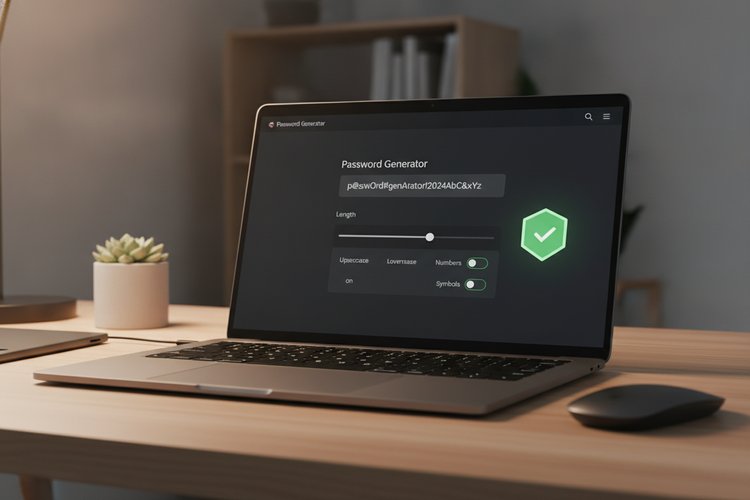
Below, you will find our interactive, client-side password generator tool. It generates strong, cryptographically secure passwords directly in your browser—without sending any data across the network.
Interactive Online Password Generator
Why Password Strength and Entropy Matter
When evaluating password security, security researchers measure password entropy—a mathematically defined score of randomness expressed in bits. High entropy makes it computationally infeasible for automated cracking tools to guess your secret key through brute force.
For instance, a simple 8-character password consisting only of lowercase letters has roughly 38 bits of entropy. Modern GPU-based cracking clusters can break this in seconds. By contrast, a 16-character password combining uppercase letters, lowercase letters, numbers, and symbols contains approximately 105 bits of entropy, requiring billions of years of continuous computation to crack.
Common Cyberattacks Against Weak Passwords
Understanding how malicious actors compromise accounts highlights the necessity of using randomized passwords for every unique online service:
- Brute-Force Attacks: Automated scripts continuously guess every possible character combination until the correct password is found. Short passwords are extremely vulnerable to this method.
- Dictionary Attacks: Attackers compile wordlists containing common terms, dictionary words, and leaked password dumps (e.g., "password123", "admin2026").
- Credential Stuffing: When a low-security website suffers a breach, cybercriminals harvest email-password combinations and automatically test them across major banking, email, and streaming sites.
- Social Engineering & Phishing: Deceptive emails and websites trap users into voluntarily typing their credentials. Using multi-factor authentication (MFA) alongside unique passwords protects against these breaches.
Best Practices for Online Password Management
Creating strong passwords is only half the battle; storing and managing them safely is equally critical. Implementing a modern security strategy involves several core habits:
1. Never Reuse Passwords: Every single online account—from your primary email address to shopping portals—must have a completely distinct password. If one account is compromised, your other accounts remain secure.
2. Utilize a Dedicated Password Manager: Memorizing dozens of 16+ character random passwords is impossible for human memory. Dedicated, zero-knowledge encrypted password managers like Bitwarden, 1Password, or Proton Pass store your vault securely and auto-fill credentials.
3. Enable Multi-Factor Authentication (MFA): Always pair strong passwords with time-based one-time password (TOTP) authenticator apps or hardware security keys (e.g., YubiKey). This ensures that even if an attacker acquires your password, they cannot bypass the second factor.
4. Secure Your Network & Devices: When accessing online accounts over public networks or managing remote smart devices, encrypting your connection is essential. For instance, securing connected devices and feeds with a Top Fast VPN For Security Cameras prevents unauthorized network interception.
Frequently Asked Questions (FAQ)
Q: Is this online password generator secure to use?
A: Yes! Our tool executes entirely inside your web browser using JavaScript and standard Web Crypto APIs (window.crypto.getRandomValues). Your generated passwords are created locally on your device and are never transmitted over the internet or saved to any server database.
Q: How long should a secure password be in 2026?
A: We recommend a minimum length of 14 to 16 characters for general personal accounts, and 20+ characters for critical infrastructure, administrative controls, and financial portals.
Q: Are passphrases better than passwords?
A: Passphrases—consisting of 4 to 6 randomly chosen words (e.g., "correct-horse-battery-staple")—offer high entropy while remaining easier for humans to type manually. However, for stored vault entries, generated 16+ character random alphanumeric strings remain the safest standard.