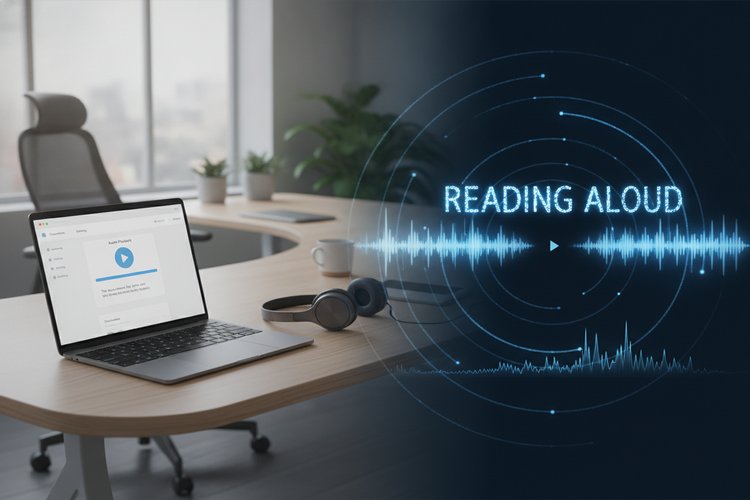
Text-to-speech (TTS) makes written content easier to listen to for students, content creators, proofreaders, language learners, and people who experience reading fatigue. This free browser-based text-to-speech converter lets you enter text, choose an available system voice, adjust playback speed and pitch, and listen without installing a separate desktop application.
Try the Free Browser Text-to-Speech Converter
Type or paste text into the converter, select a voice and language profile, adjust the speed or pitch, and choose Play. The tool uses your browser’s speech-synthesis capability to play the result through your device. As with other online developer utilities, the controls are designed to work directly in the browser.
💡 Audio download note: This browser-native tool plays speech through your device but does not create an MP3 file. If you need downloadable audio with different accents, see Accent Generator’s Text-to-Voice Converters.
How the Web Speech API Reads Text Aloud
The converter uses the browser’s native Web Speech API. The API includes SpeechRecognition, which can support speech-to-text features, and SpeechSynthesis, which reads text aloud. This page uses the speech-synthesis part of the API.
When you select Play, JavaScript creates a SpeechSynthesisUtterance containing your text. The browser then passes that request to an available speech engine and plays the result through your computer or mobile device. The available voices and the way they process text depend on your browser, operating system, and installed language packs.
What You Can Do with This Text-to-Speech Tool
- Listen to text quickly: Play articles, notes, drafts, and short passages without reading them silently.
- Adjust playback: Choose from the voices available on your device and change the reading speed or pitch.
- Use multiple languages: Your device may provide voices for English, Spanish, German, Japanese, Mandarin, and other languages. For another language-focused option, see our guide to Spanish text-to-speech tools.
- Keep playback local to the browser: The converter does not submit your text to our WordPress server. Browser and operating-system behavior can still vary.
How to Use the Converter in Four Steps
- Enter your text: Type or paste the passage you want to hear into the text box.
- Choose a voice: Open the voice menu and select one of the voices supplied by your browser or device.
- Set the sound: Move the speed and pitch controls until the playback feels comfortable.
- Control playback: Select Play to begin, Pause to temporarily stop, or Stop to cancel the current reading.
Browser and Device Limitations to Know
This is a browser-based playback tool, so it does not provide the same voice library or file-export features as a dedicated cloud TTS service. Voice names, accents, pronunciation, and language availability vary between Windows, macOS, Android, iOS, and individual browsers.
- Some devices show only a small number of voices.
- Voices may take a moment to appear after the page loads.
- Very long passages may be slower to start or may not be handled consistently by every browser.
- The tool plays audio through your device; it does not download or save an MP3 file.
- Speech quality depends on the selected system voice rather than a voice engine controlled by this website.
Need an MP3 Instead? Here Is the Difference
The Web Speech API is useful for immediate listening, proofreading, and accessibility support, but this converter does not export audio files. If you need a downloadable track for a video, podcast, presentation, or offline listening, use a service that specifically supports audio-file generation. You can explore MP3 voice-conversion options at Accent Generator’s Text-to-Voice Converters.
Text-to-Speech Troubleshooting: Quick Fixes
- No voices appear: Wait a few seconds, refresh the page, and check whether your device has speech voices or language packs installed.
- There is no sound: Check the device volume, browser tab mute setting, connected headphones, and operating-system audio output.
- Playback stops unexpectedly: Try a shorter passage and start playback again. Long text can behave differently across browsers.
- The pronunciation is unusual: Select another voice or language profile, and check the spelling and punctuation of the input text.
- The controls do not respond: Refresh the page and try again in a current browser with JavaScript enabled.
Text-to-Speech Use Cases for Work and Learning
Proofreading: Listening to a draft can reveal awkward sentences, missing words, repeated phrases, and punctuation problems that are easy to miss when reading silently.
Accessibility support: TTS can make short passages, notes, and web content easier to consume for people with visual impairments, dyslexia, or reading fatigue. It works best as one part of a broader accessible reading experience.
Language practice: Learners can listen to words and sentences in the voices available on their device and compare different speeds or pronunciations.
Frequently Asked Questions About Browser TTS
Is this text-to-speech converter free?
Yes. You can use the converter without paying for access to the page. The voices themselves are supplied by your browser or operating system, so availability depends on your device.
Does the tool create an MP3 file?
No. It plays the generated speech through your device. Use a dedicated audio-generation service when you need to download an MP3 or another audio format.
Why can I not see my preferred voice?
The voice may not be installed or supported on your device or browser. Wait for the voice list to load, check your system language settings, or try another browser voice.
Can I use the converter on a phone?
It may work on supported mobile browsers, but mobile operating systems can provide different voices and speech controls than desktop browsers. If playback is inconsistent, try a shorter passage or another supported browser.
Is my text uploaded to this website?
The converter does not submit your text to our WordPress server. Speech processing and voice availability are handled by the browser and device, so their behavior may vary by platform.
Conclusion: Listen to Written Content in Your Browser
This free text-to-speech converter provides a convenient way to listen to short passages, review drafts, practice languages, and support more flexible reading. It uses the browser’s Web Speech API, so the available voices and playback behavior depend on your device. For quick browser playback it is useful, while downloadable MP3 creation requires a separate audio-generation service.